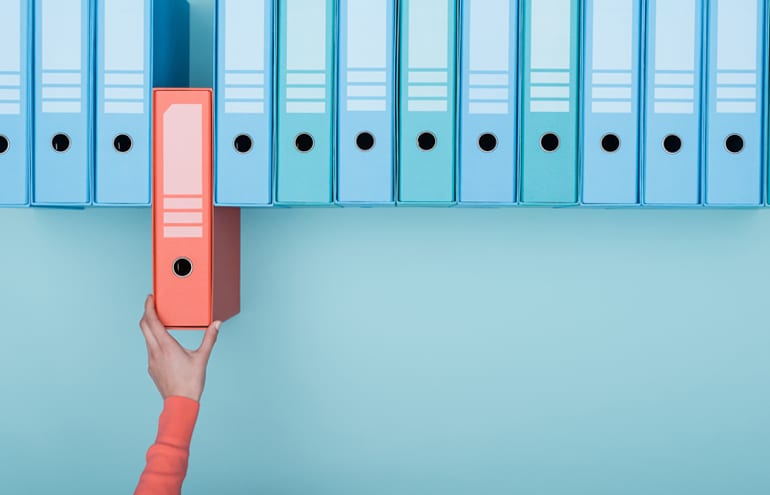
We lawyers love binders — always have, always will. That doesn’t mean we’re stuck with paper, though. Today, it is certainly possible to have binders in digital form, either by using general-purpose tools or purpose-built binder software. Here are my thoughts on key considerations for picking the right digital binder tool for your workflow.

Table of contents
Three Things to Consider
Lawyers need to consider three things when choosing a digital binder system: features, device and file storage location.
Note that I won’t be recommending a specific digital binder product, and that’s for a couple of reasons. First, full disclosure, I make and sell a digital binder software product for lawyers called Align, so I’m biased. Second, this really is workflow-dependent. Much as it pains me to say it, one size doesn’t fit all.
1. Digital Binder Features
You use binders, of course. Take a moment, though, and think about what’s important to you when you look at your binders.
- Do you annotate the documents or just read them?
- If you annotate, do you highlight or write on the documents, or both? Do you use sticky notes or flags, and how?
- Who makes your binders — you, an assistant or a paralegal? How are your binders updated?
- Do you share your binders? Do you give a copy to a witness or opposing counsel or the court?
- Where do you read your binders? Is it always in your office, or is it mostly on the road or in your house in a comfy chair?
- Does it integrate with AI tools? With advanced AI integration standard in 2026, check if the software can actively help you query your binder, instantly summarize deposition transcripts, or flag conflicting testimony on the fly.
As you answer these questions, make a list of which of these things are important to you and, just as importantly, which are not. This is going to help you narrow down your search for the right tool. For example, if someone else makes binders for you, it’s going to be important to have a tool that allows multiple users to access your binders. If you make them yourself, that’s less important.
2. Selecting the Ideal Device for Digital Binder Workflow
Since you are going to go digital, ask yourself what the ideal digital device is on which you will interact with these binders. It may be a device you already have or it may be one that’s on your holiday wish list. Here are a few considerations about the devices that are out there. I think of them in three categories:
Laptop. You have one already, so in some ways that’s the easiest choice. However, the ergonomics of laptops aren’t always the best for reading — let alone reading and taking notes. A lot of people (myself included) like to read with the documents lying flat, not upright. A laptop isn’t great for that unless you have a laptop-tablet hybrid. If you do have one of those, test out reading and writing on it. Some people love that experience; others find that the devices are too heavy or too thick.
2026 Tech Tip: If you use a laptop, look for newer “AI PC” models equipped with dedicated NPUs (Neural Processing Units). These allow you to run secure, local document summarization right on your hard drive, keeping client data completely offline and secure.
iPad. This gets its own category because it’s the 800-pound gorilla of tablets — and for good reason. It’s light, has great battery life, is extremely well supported and, with the Apple Pencil, has great handwriting options. It’s also very secure. Related to that, if you are at a law firm with tight security policies, this is almost certainly the device it supports. If you haven’t tried an iPad yet, pop over to your nearest Apple Store or Best Buy and check it out.
2026 Tech Tip: With the release of iPadOS 26 and system-level Apple Intelligence, the iPad now supports seamless handwriting-to-text conversion with the Apple Pencil Pro. You can highlight a handwritten note on a case document and instantly transform it into a searchable digital exhibit tag.
Other. There are various other tablet options on the market. There are, of course, Android-based tablets. Also popular are tablets that specifically target paper-loving users, like the reMarkable. There’s a lot positive to say about these devices, but there are two things you need to at least consider if you are leaning in that direction. First, they are not nearly as well supported as the iPad. I’m not saying it should be that way, but it’s a fact. Second, you need to consider security, especially when you are looking at non-Android tablets. This is both a question of what your law firm’s IT department will allow and also just common sense. What happens if you leave your tablet on the train with hundreds of client files on it? How easy is it for someone to unlock it? Is its memory encrypted?
2026 Tech Tip: If you prefer the paper-like feel of e-Ink, the landscape has improved significantly this year. Devices like the reMarkable Paper Pro now feature color displays, meaning litigators can finally color-code trial exhibits, case flags, and document highlights without giving up eye-friendly digital paper.
3. Storage for Your Files
The last thing to think about is where the files in your digital binders will live. Specifically, the following question is going to make a big difference in terms of which digital binder product is right for you: Do your files need to live a) only on the device, b) on a general-purpose cloud storage service, or c) within a dedicated system?
The answer to this question is going to dramatically alter your options.
- If you don’t mind getting the files onto your device manually and you don’t need to be able to share them easily with other people or have your binders updated by other people, you are going to have a lot of options.
- If you need to be able to share files across devices or with colleagues, but can use cloud storage like Dropbox, iCloud or OneDrive, that will limit your options, but you will still have a fair number.
- Finally, if your files must be stored in an enterprise-class storage service (often the case if you work at a large firm), you are going to find that you need a binder or document solution that specifically targets enterprises.
2026 Tech Tip: If your firm opts for general cloud services like OneDrive, Dropbox, or iCloud to host your digital binders, ensure your chosen binder app supports Zero-Knowledge Encryption overlays. In 2026, keeping encryption keys strictly in your hands—and entirely inaccessible to the cloud provider—is a critical standard for maintaining absolute client confidentiality and meeting modern cybersecurity compliance mandates.
If you take away one thing from this article, it’s that you definitely can — and should — start moving your binders to digital formats.
Make 2026 the year you finally fulfill your resolution to go paperless!
Litigation Notebook Checklist
Here’s a convenient checklist detailing exactly what to include in the three core litigation binders, when to use them, and how to keep them organized.
Sam Davidoff is a former trial lawyer and the CEO and founder of Align, a digital binder solution designed to provide attorneys with paperless workflows.
Image © iStockPhoto.com.

Sign up for Attorney at Work’s daily practice tips newsletter here and subscribe to our podcast, Attorney at Work Today.