Lawyer Apps

By Joan Feldman | 2026
The modern practice of law is no longer tethered to a physical desk or a corporate office suite. Whether you are running a file review between courtroom appearances, checking deposition details from transit, or reviewing client documents from a remote workspace, your smartphone and tablet are now fully operational extensions of your firm. However, downloading random software tools into your mobile ecosystem without clear utility creates a cluttered screen and dangerous security vulnerabilities.
At Attorney at Work, we look beyond basic app store descriptions to evaluate lawyer apps based on strict professional utility, ease of use, and compliance frameworks. A truly mobile practice requires tools that integrate with your primary desktop systems, automate routine communications, and securely handle sensitive case documents on the go. Moving away from administrative chaos requires curating a streamlined mobile toolkit designed to handle complex work whenever inspiration or necessity strikes.
Our expert content breakdowns, software comparisons, and configuration tutorials give you the exact blueprint needed to transform your mobile devices into secure, high-efficiency legal engines.
To build a professional mobile workspace that maximizes billable capture and eliminates administrative friction, focus on four key app quadrants:
Mobile Document Management & Review Tools: Lawyers deal with a massive volume of specialized documentation that requires careful editing away from the desk. True mobility requires advanced formatting and review control. Utilizing robust PDF markup and document processing programs, such as mastering how to apply Bates numbering using Kofax Power PDF, gives you complete control over your file sets across any portable device.
Asynchronous Communication & Automation Tools: Endless phone tag and clogged messaging threads waste precious hours of a litigation schedule. Modern practices offload routine administration to dedicated, self-service applications. Integrating specialized personal productivity apps for busy lawyers—like Calendly for automated scheduling or Slack and Teams for centralized business chat—eliminates communication lag and keeps matters moving smoothly.
On-the-Go Billing and Real-Time Time Tracking: Forgetting to record brief client phone calls or remote email replies costs small and mid-sized firms thousands in lost revenue every month. Protecting your profitability requires friction-free data entry tools. Deploying specialized legal apps for running tech-forward law firms—including secure mobile payment portals like LawPay and agile cloud timers—ensures every billable minute is accurately captured right as it happens.
Next-Generation Mobile AI & Dictation Tools: The cutting edge of mobile legal tech relies on highly sophisticated voice-capture tools that can turn spoken ideas into structured legal copy instantly. Modern systems bypass traditional typing constraints entirely. Moving from basic dictation software to advanced applications, such as realizing why lawyers prefer Claude AI for processing long files or using voice-to-text recorders like Wispr Flow, accelerates your brief writing and case organization.
The value of your mobile device isn’t measured by how many apps you have downloaded, but by how reliably those applications talk to one another. Using separate, disconnected apps for time tracking, document notes, and secure client communication creates unnecessary friction and data silos.
When you intentionally configure your phone or tablet around a unified, cloud-secured group of programs, you regain total control of your schedule. Explore our comprehensive operating platform reviews, security guides, and practice area software picks below to safely run your firm from anywhere in the world.
What are the most essential productivity apps for mobile lawyers? The most essential mobile productivity tools include a secure cloud-based document viewer (such as GoodReader or PDF Expert), an automated appointment scheduling app (like Calendly), an encrypted password manager (like 1Password), a real-time time tracking interface linked to your case management database, and a highly secure communications app (like Slack or Microsoft Teams) to eliminate email fragmentation.
Is it ethically safe for attorneys to use consumer mobile apps for client data? It is only ethically safe if the application complies with your strict duty of confidentiality. General consumer applications often store data on unsecured servers or scan your uploaded documents to train public AI models. Lawyers must ensure that any app handling case files uses enterprise-grade encryption, offers clear user access privileges, and guarantees a closed data environment where client data is never sold or used for public software training.
How can mobile time-keeping apps improve a law firm’s bottom line? Mobile time-keeping apps eliminate the “forgetfulness gap,” which typically costs attorneys tens of thousands of dollars per year in unrecorded billable hours. By allowing a lawyer to immediately record telephone consultations, text responses, and document reviews on their smartphone while away from the office, these tools capture brief micro-tasks that are otherwise easily forgotten by the end of the day.

A recent study found that, on average, a mere quarter of an attorney’s working hours are spent on billable tasks — and the percentage is even lower for solo practitioners. Technology can address this problem. However, let’s face it: There are ...
Nehal Madhani - June 25, 2026
AI skills are more than a productivity trick, says Ernie Svenson. They are the modern replacement for how we store and apply process knowledge. Here's how custom skills reinvent SOPs for your law firm's daily workflows.
Ernest Svenson - April 21, 2026
Ernie Svenson: Most lawyers rely too heavily on Zoom calls. Screen shares. Meetings about issues that could be handled in minutes without scheduling friction. That’s where Loom comes in.
Ernest Svenson - January 26, 2026
Most lawyers don’t need more tech — they need the right tech that actually makes their lives easier instead of adding to the chaos. Here are Ernie Svenson's picks for tools that are worth your time
Ernest Svenson - December 17, 2025
Ernie Svenson recently polled a group of solo and small firm lawyers about their preferred AI tools. The results? Surprising.
Ernest Svenson - November 25, 2025
New column! Ernie Svenson brings us the straight scoop on the tech tools and strategies lawyers can use to get more done, more easily. First up: Voice-to-text dictation software that gets it right.
Ernest Svenson - October 28, 2025
Brett Burney tells how you can set up Mac law office: hardware, software, using Microsoft and PDFs, and cloud-based services. Key Takeaways Brett Burney’s primer on what you’ll need to go “all Mac” is an Attorney at Work ...
Brett Burney - January 7, 2025
With these personal productivity apps, you can streamline your workflow, improve client service, and tame the daily chaos in your practice.
The Editors - January 3, 2025
In this tips series, the legal technology training experts at Affinity Consulting Group offer straightforward answers to common questions about popular software programs used in law offices. This time: Handling Bates numbering in Power PDF, ...
Danielle DavisRoe - January 3, 2025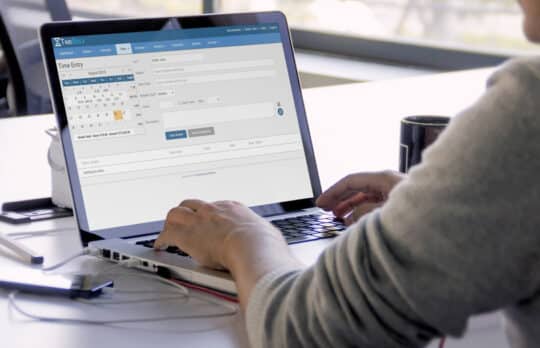
Product Spotlight | Whether you work for a large firm or you run your own private practice, getting your legal billing right is crucial. Keep this list from LawPay handy to ensure your bills are as client-friendly as possible.
LawPay - January 2, 2025